
A WordPress staging plugin for safer updates.
SafeStage pro creates an isolated WordPress staging environment where you can test plugin and theme updates before production. Review the result, create a recovery point, and move approved changes to live when you are ready.
Because “update” should not mean “hope nothing breaks.”
A live WordPress site is not the place to discover that a plugin update breaks checkout, a theme conflicts with an extension, or a client site needs an emergency recovery.
Live-site surprises
Plugin and theme changes can affect pages, admin workflows and store functionality when tested directly on production.
Backups are not a workflow
A backup sitting somewhere is useful. A repeatable snapshot → test → review → push workflow is much easier to act on.
Staging can be complicated
Many WordPress owners need a practical staging environment without building a separate hosting workflow from scratch.
Test WordPress updates on staging before production.
SafeStage keeps the staging database isolated, protects the staging environment from indexing, and gives Pro users a reversible path from test to live.
Clone safely
Create a resumable filesystem staging copy and an isolated database prefix. Live tables are not overwritten during the clone.
Test freely
Run plugin and theme tests on staging. Safe Update installs selected packages into the staging tree only.
Review changes
For Pro workflows, create a fresh snapshot, inspect the result and use the operation log to understand what happened.
Push when ready
Pro Push to Live supports full, files-only or database-only promotion and requires a safety snapshot created during that push.
A safer WordPress staging-to-live workflow.
SafeStage turns a risky live-site change into a controlled workflow with clear checkpoints.
Check your site
Open SafeStage and review Hosting Health warnings for PHP, disk and required writable paths.
Create staging
SafeStage creates a resumable filesystem clone under your chosen WordPress subdirectory.
Clone & migrate
Clone the database into an isolated prefix, then migrate URLs and serialized data on staging.
Test changes
Test plugins, themes and workflows without installing Safe Update packages on the live site.
Promote with Pro
Snapshot → review → Push to Live. Restore remains available if you need a verified recovery workflow.
WordPress staging features for safer updates.
Use the Free workflow to build confidence. Add Pro when you need snapshots, rollback, safe updates and promotion.
Resumable staging
Clone your WordPress filesystem into a subdirectory with resumable batches for hosts with tighter execution limits.
- Progress-aware copy
- Resume interrupted jobs
Isolated database
Clone database tables under a separate prefix so the staging database is not the live database.
- Live tables stay untouched during clone
- Staging-specific roles/capabilities handling
URL & serialized search/replace
Prepare the cloned database for its staging URL without rewriting the live database.
- JSON-escaped URL handling
- Composite-key-aware row processing
Staging protection
Keep test environments away from search engines and reduce accidental side effects.
- Noindex / nofollow protection
- Optional authentication
- Admin staging badge
- Email, cron and WooCommerce checkout safeguards
Hosting Health
See warnings before a workflow begins instead of discovering basic hosting constraints halfway through it.
- Disk / PHP memory checks
- Writable-path and snapshot-storage checks
Real snapshots
Capture filesystem + database snapshots and prefer storage outside the public web root when the host allows it.
- Manifest + database dump
- Retention support
Verified restore
Restore a complete snapshot with a pre-restore safety snapshot and verification before reporting success.
- Recovery-aware batches
- Safety snapshot before restore
Push Staging → Live
Promote files, database or the full staging environment only after you explicitly choose to push.
- Pre-push safety snapshot required
- Staging wp-config.php is not pushed
- Live SafeStage state is preserved
Safe Update
Install selected plugin/theme packages into staging first, review the result, then decide whether to push.
- Live files are not modified by Safe Update
- Fresh pre-update snapshot required
Logs & recovery
Keep an operation trail and recover from interrupted jobs instead of losing the workflow state.
- Operation log
- Failed-job recovery controls
- License activation tools
Start free. Upgrade when your workflow needs reversibility.
One SafeStage package contains the Free and Pro code. A valid Pro license unlocks the commercial entitlement — there is no second plugin to install.
| Capability | Free | Pro |
|---|---|---|
| Resumable filesystem staging | Included | Included |
| Isolated database clone | Included | Included |
| URL / serialized search-replace | Included | Included |
| Staging protection | Included | Included |
| Hosting Health | Included | Included |
| Real filesystem + database snapshots | — | Pro |
| Verified rollback / restore | — | Pro |
| Push Staging → Live | — | Pro |
| Safe Update on staging | — | Pro |
| Operation log + job recovery | — | Pro |
Test the change without turning your checkout into the test.
Staging gives store owners a separate environment for testing plugin and theme changes. SafeStage can disable checkout, purchasing and payment gateways on the staging environment to reduce accidental real transactions.
With Pro, the workflow can add a fresh pre-push snapshot before promotion, so your production change has a defined recovery checkpoint.
No “100% risk-free” promise. The point is controlled isolation, deliberate promotion and a documented recovery path.
Security and safeguards for WordPress staging.
SafeStage is designed around explicit boundaries: staging is isolated, Pro actions are server-side gated, and destructive workflows have safety checkpoints.
Pro capabilities are checked server-side, not merely hidden behind UI buttons.
Snapshots prefer a directory outside the public web root. If that cannot be done, SafeStage does not fall back to public uploads.
Push and restore preserve the live site’s SafeStage settings, license, snapshot index and job state.
Noindex headers, staging indicators and optional authentication help keep test environments clearly separated.
Operation logs redact sensitive key names, and license keys are masked in admin summaries.
SafeStage is GPLv2 or later. Pro is an entitlement/license layer, not a claim of proprietary code ownership.
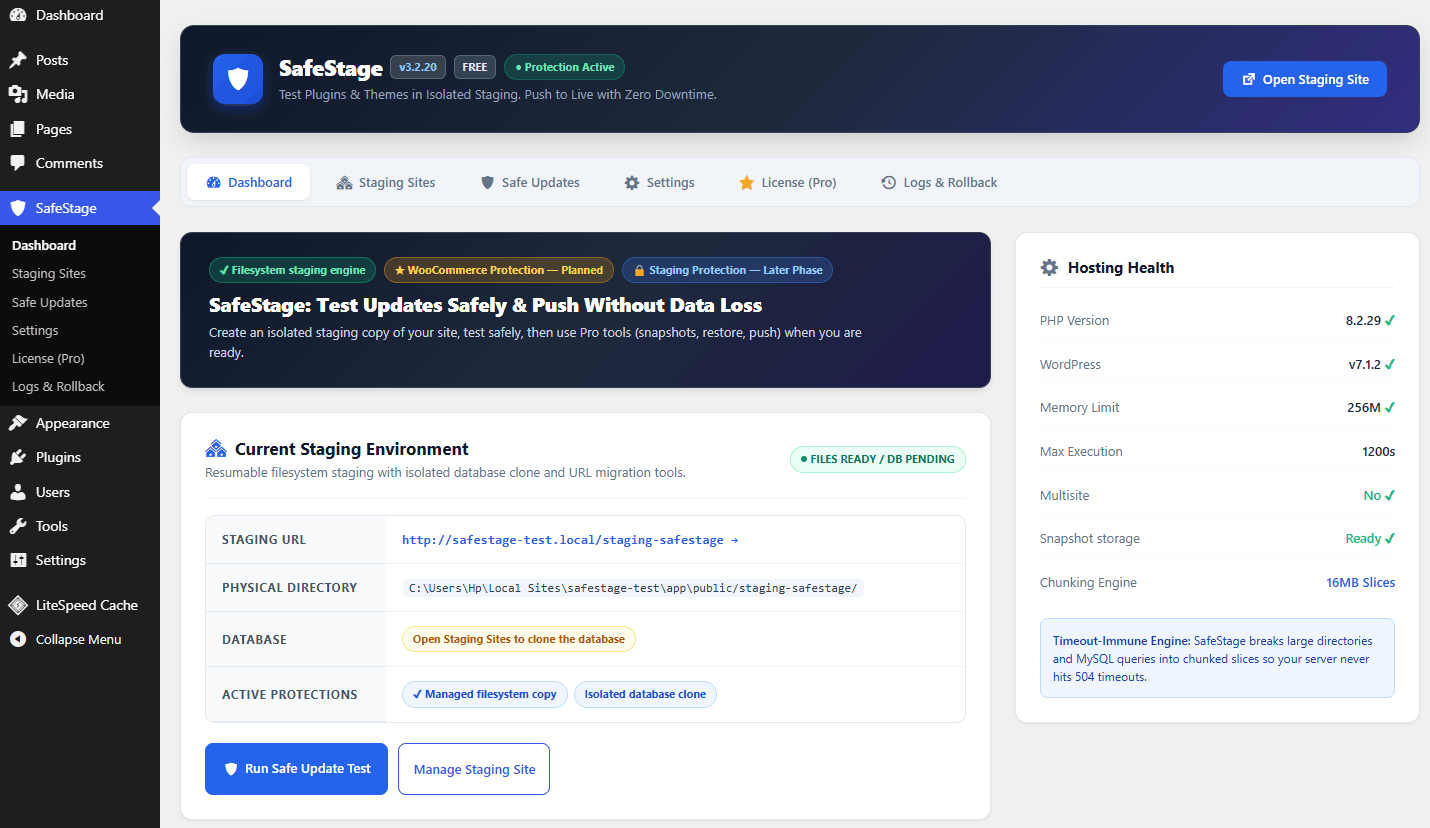
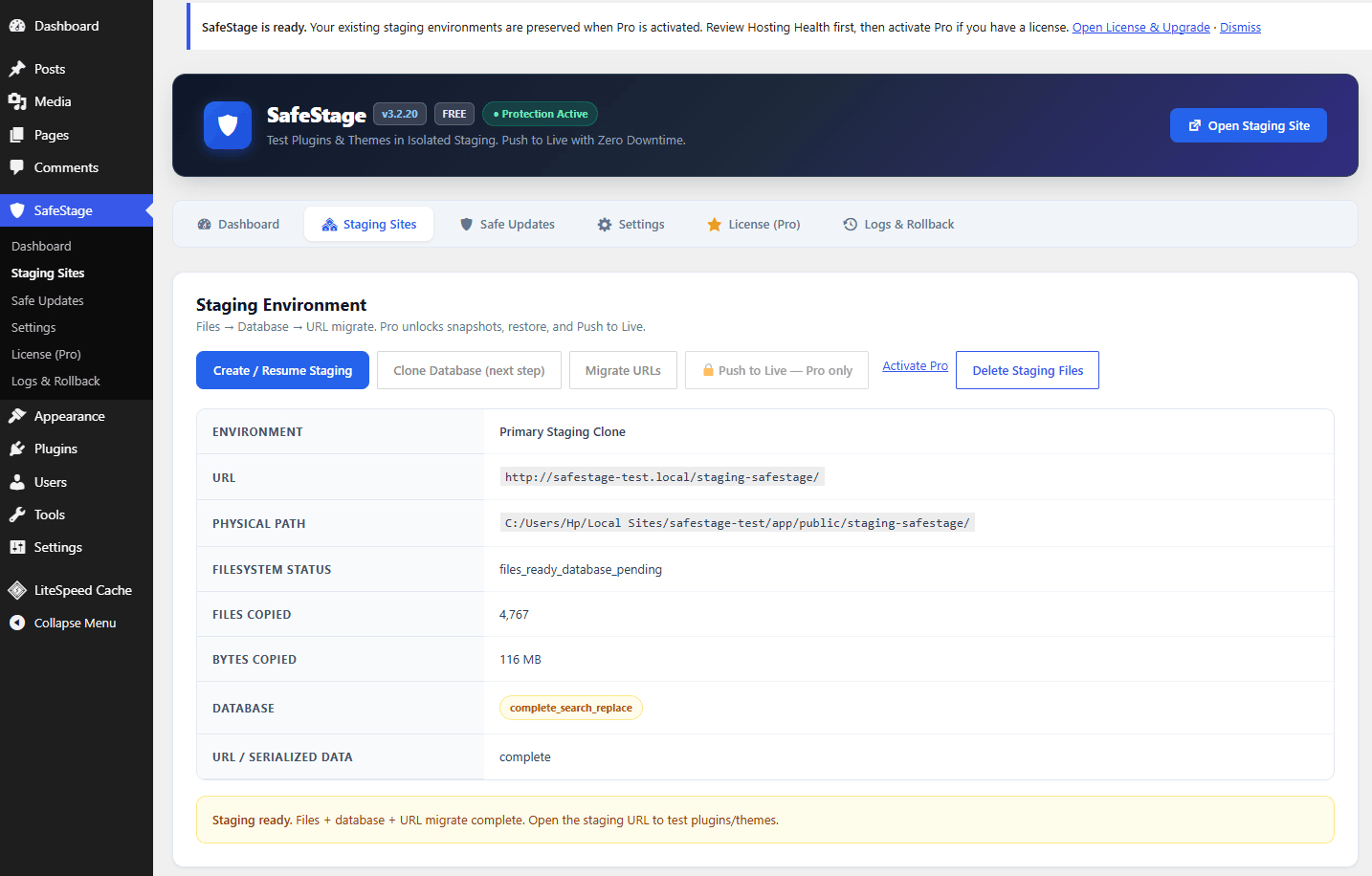
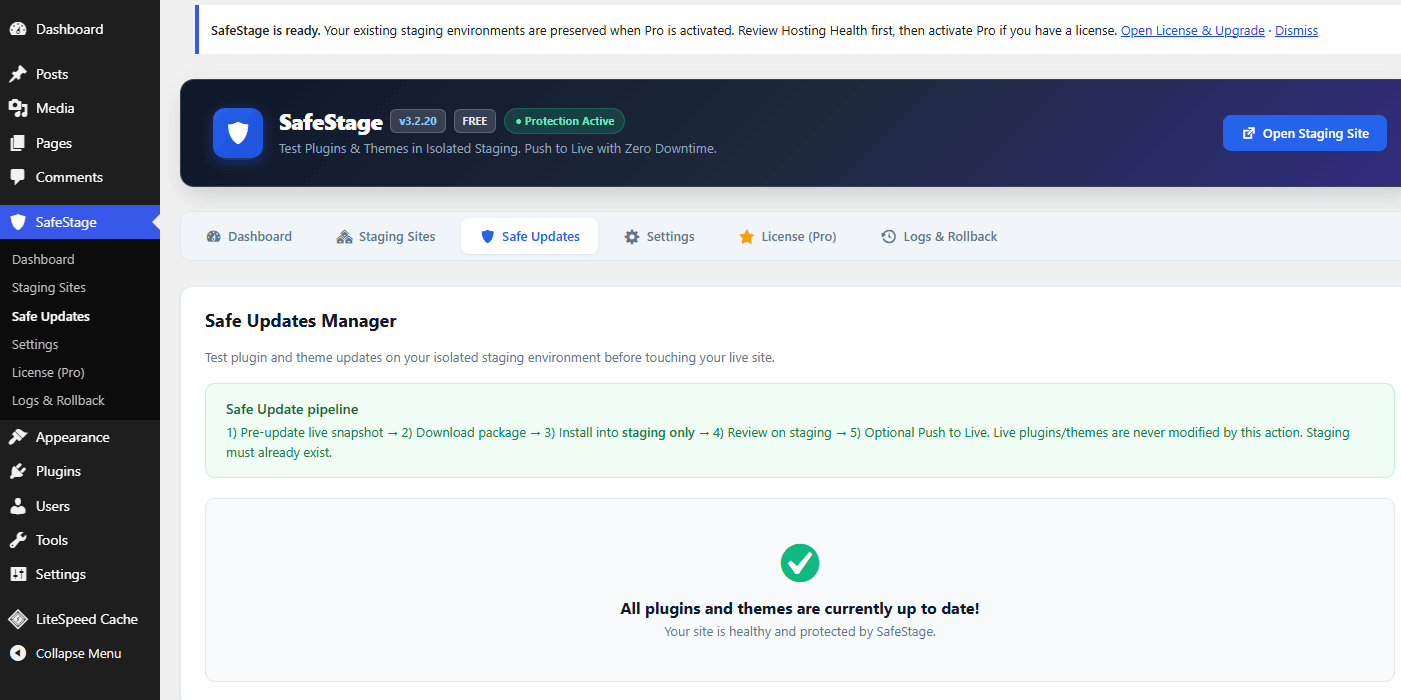
A workflow you can see, not just a marketing promise.
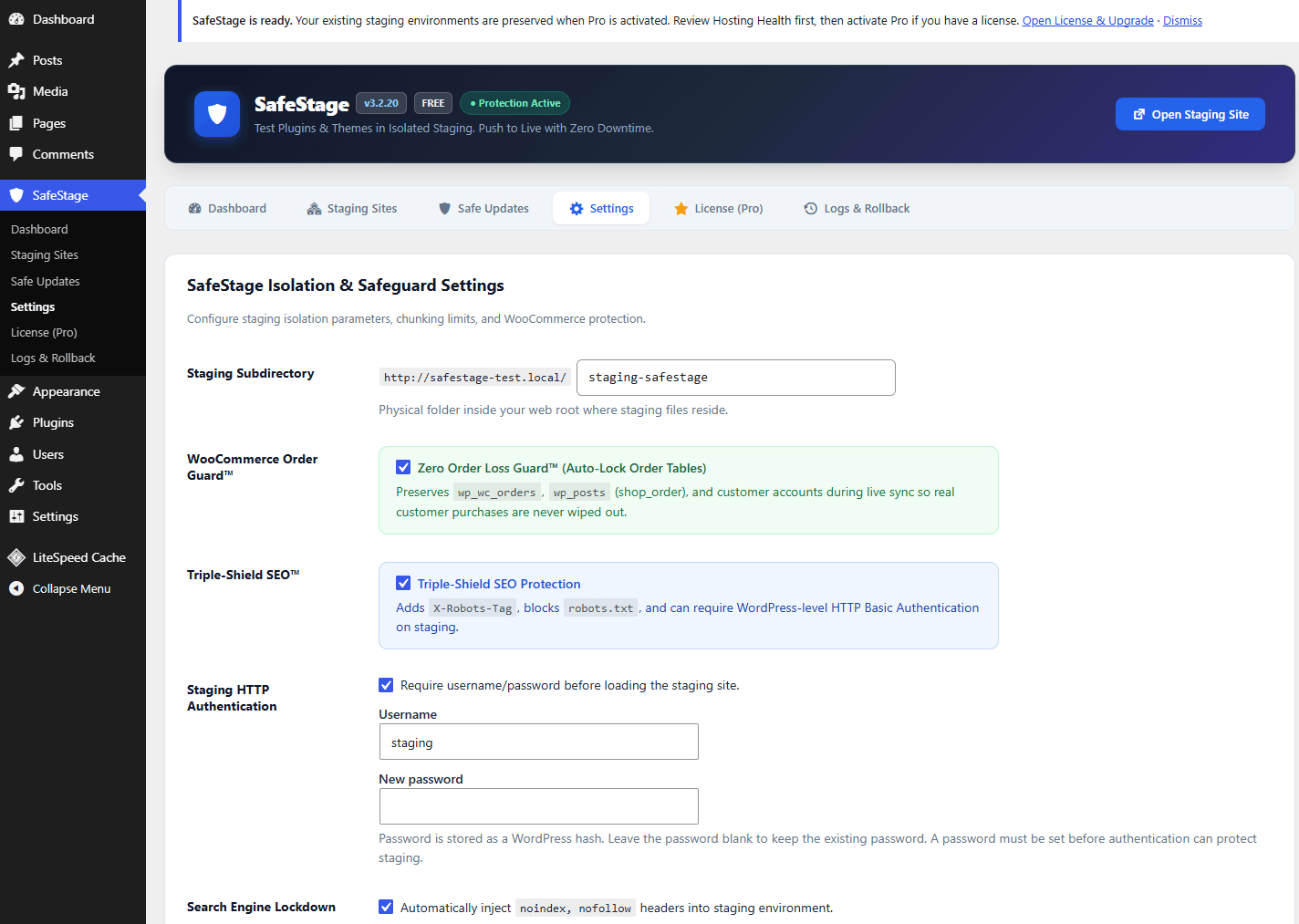
Use these product screens to show visitors what the plugin actually does. Replace or add screenshots as the UI evolves.
Agency managing client sites
“We want a repeatable staging checkpoint before a client-facing update.”
Illustrative scenario — not a customer testimonial.
WooCommerce store owner
“I need to test an extension without experimenting on my live checkout.”
Illustrative scenario — not a customer testimonial.
Developer / freelancer
“I want a controlled update path that I can review before production.”
Illustrative scenario — not a customer testimonial.
Pick the SafeStage plan that matches your sites.
Start with Free. Choose Pro for one production site, or Agency Unlimited when you manage SafeStage across client sites. Select the billing model that fits your workflow.
Essential isolated staging for a single-site WordPress owner.
- 1 active staging subdirectory
- Resumable filesystem staging
- Isolated database clone
- URL / serialized search & replace
- Noindex + optional HTTP authentication
- Hosting Health checks
- Community/forum support
For businesses and online stores that need a controlled, reversible update workflow.
- Everything in Free
- Unlimited staging environments
- Snapshots + 1-click rollback / restore
- Push Staging → Live
- Safe Update on staging
- WooCommerce order-preservation safeguards
- Advanced staging protection
- Pre-push / recovery safeguards
- Priority 24/7 support
For agencies, developers and multi-site managers running SafeStage across client sites.
- Everything in Pro
- Unlimited sites
- White-label / client re-branding
- Centralized multi-site management
- Dedicated Slack & VIP support
- Designed for client-site workflows
What changes when you switch billing?
Yearly: Pro is $39/year and Agency is $149/year. This is the default value-focused option shown above.
| Capability | Free | Pro — Single Site | Agency Unlimited |
|---|---|---|---|
| Staging site | 1 | Unlimited | Unlimited |
| Push to Live | No | Yes | Yes |
| Snapshots & rollback | No | Yes | Yes |
| Safe Update | No | Yes | Yes |
| WooCommerce protection | No | Yes | Yes |
| Advanced staging / SEO protection | Basic | Advanced | Advanced |
| White-label branding | No | No | Yes |
| Multi-site management | No | No | Yes |
SafeStage ships as one Free + Pro package. The active plan is controlled by the license entitlement; there is no separate Pro plugin installation.
WordPress staging, safe updates and rollback FAQs.
Does SafeStage support WordPress Multisite?
No. In version 3.2.20, Multisite is not supported for clone, search/replace, snapshot, restore, push or Safe Update workflows.
Where are snapshots stored?
SafeStage prefers a private directory next to the WordPress root, outside the public web root. If that private location is not available, snapshot creation fails rather than writing snapshots into public uploads.
Will activating Pro delete my existing staging?
No. Pro activation is an entitlement change. Existing staging files, databases, snapshots, settings and logs are preserved.
Is SafeStage proprietary software?
No. SafeStage is GPLv2 or later. The commercial Pro model is a license/entitlement layer for Pro capabilities, support and updates rather than a proprietary-code claim.
Do I need a separate Pro plugin?
No. The production package contains Free and Pro modules together. A valid Pro license unlocks Pro capabilities.
What happens if a push or restore is interrupted?
SafeStage uses resumable/recovery-aware job state. Pro push requires a fresh safety snapshot created during the push, and restore creates a pre-restore safety snapshot before the restore workflow.
Can SafeStage protect a WooCommerce staging site?
Yes. Staging can disable payment gateways, checkout and purchasing, helping prevent accidental real transactions in the test environment.
Does Safe Update modify my live plugin or theme?
No. Safe Update installs the selected package into the staging tree only. Promoting that change to live requires an explicit Pro Push to Live.
Does SafeStage send analytics data?
SafeStage itself does not embed analytics beacons. Outbound HTTP is used when a remote license endpoint is configured for license activation/recheck, or when WordPress core update APIs fetch a package selected by the administrator for Safe Update.
Test WordPress changes before they reach your live site.
Create staging. Test the change. Review it. Then decide whether it belongs in production.
GPLv2 or later · Pro optional · Multisite clone/push/restore/Safe Update not supported in this version