
Multilingual WordPress
without breaking your URLs
Markalingo Pro is a lightweight, SEO-first multilingual plugin. Keep your existing default-language URLs, ship perfect hreflang & canonicals, and accelerate localization with an optional AI translation layer — zero third-party dependencies.
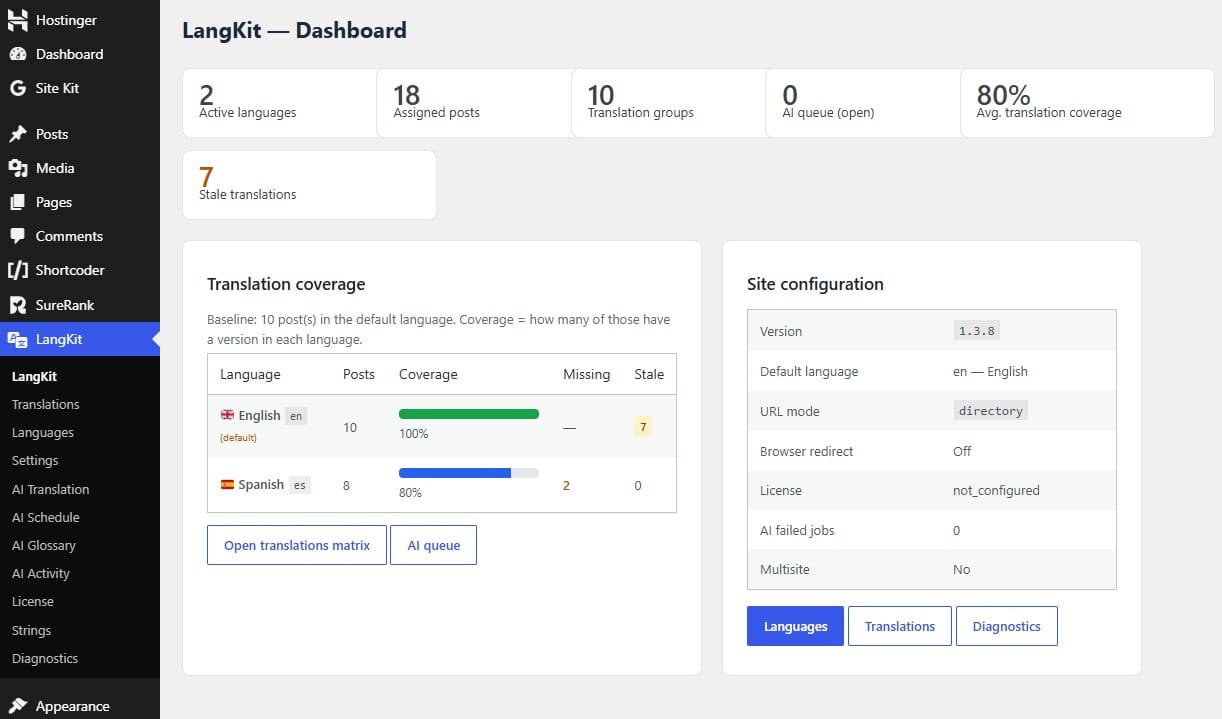
Built for performance and search engines
Markalingo was designed around one idea: multilingual sites should not force you to rewrite your entire URL structure or add heavy frontend scripts.
Existing URL preservation
Default language URLs stay exactly as they are — example.com/about/ remains untouched. No forced prefixes.
High-performance storage
Custom database tables with indexed lookups for sub-millisecond language and translation resolution.
Native rewrite rules
Uses WordPress rewrite infrastructure properly — directory, query, and subdomain URL modes supported.
Bidirectional hreflang
Automated bidirectional hreflang tags with x-default so search engines understand language relationships.
Self-referencing canonicals
Prevents cross-language de-indexing by keeping canonicals self-referencing on every translated page.
Zero frontend JS tax
Language switcher and routing work without shipping a heavy JavaScript bundle — better Core Web Vitals.
Everything you need to manage languages
Clean admin screens for languages, translations, settings, and diagnostics — designed for daily use, not demos.
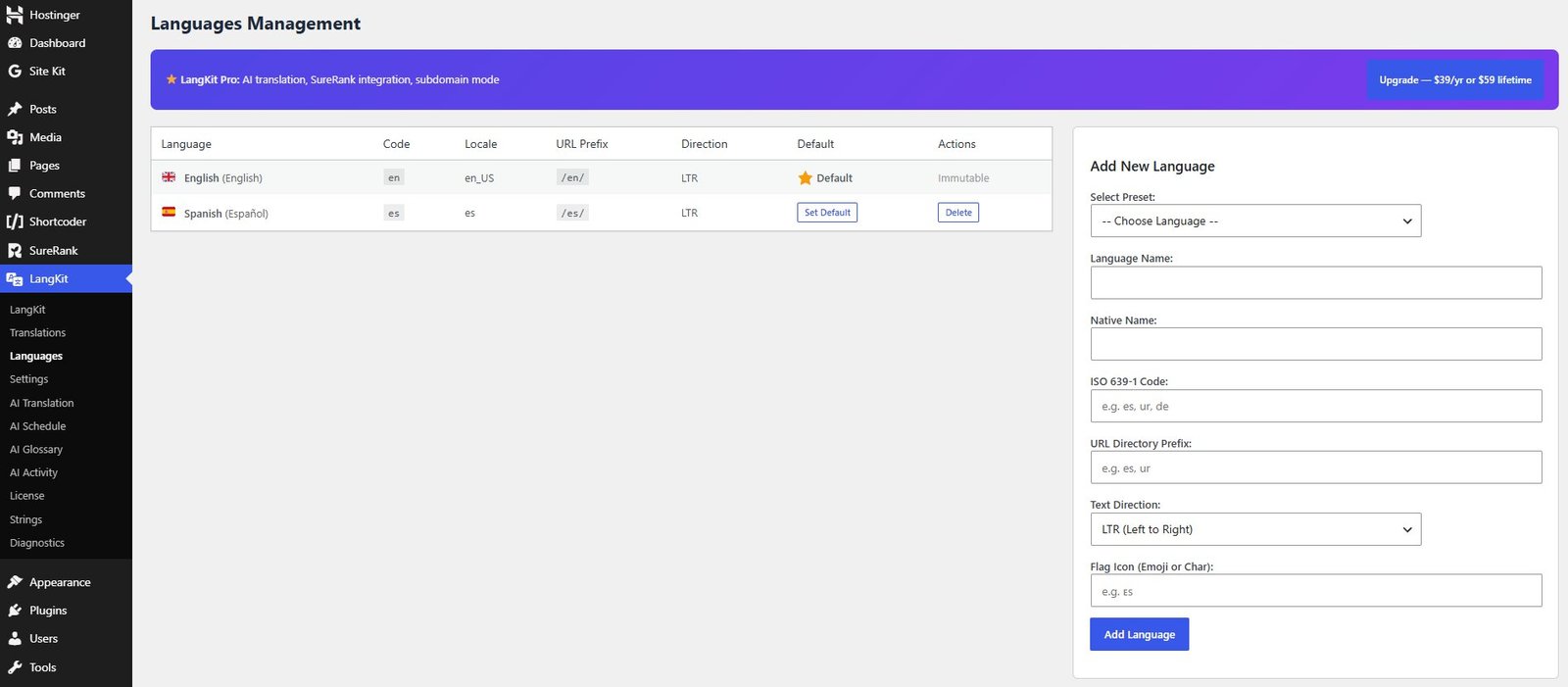
Languages management
Add unlimited languages with flags, RTL support, and URL prefixes. Control which language is the default and how each language appears in the switcher.
- Flags, locale codes, and display names
- RTL language support
- Per-language URL prefix control
- Default language stays prefix-free when you want
Translation matrix & groups
See translation status across languages at a glance. Link posts into groups, track missing or stale translations, and keep content synchronized.
- Status overview across all languages
- Translation groups for related content
- Quick navigation between language versions
- Works with your existing post types
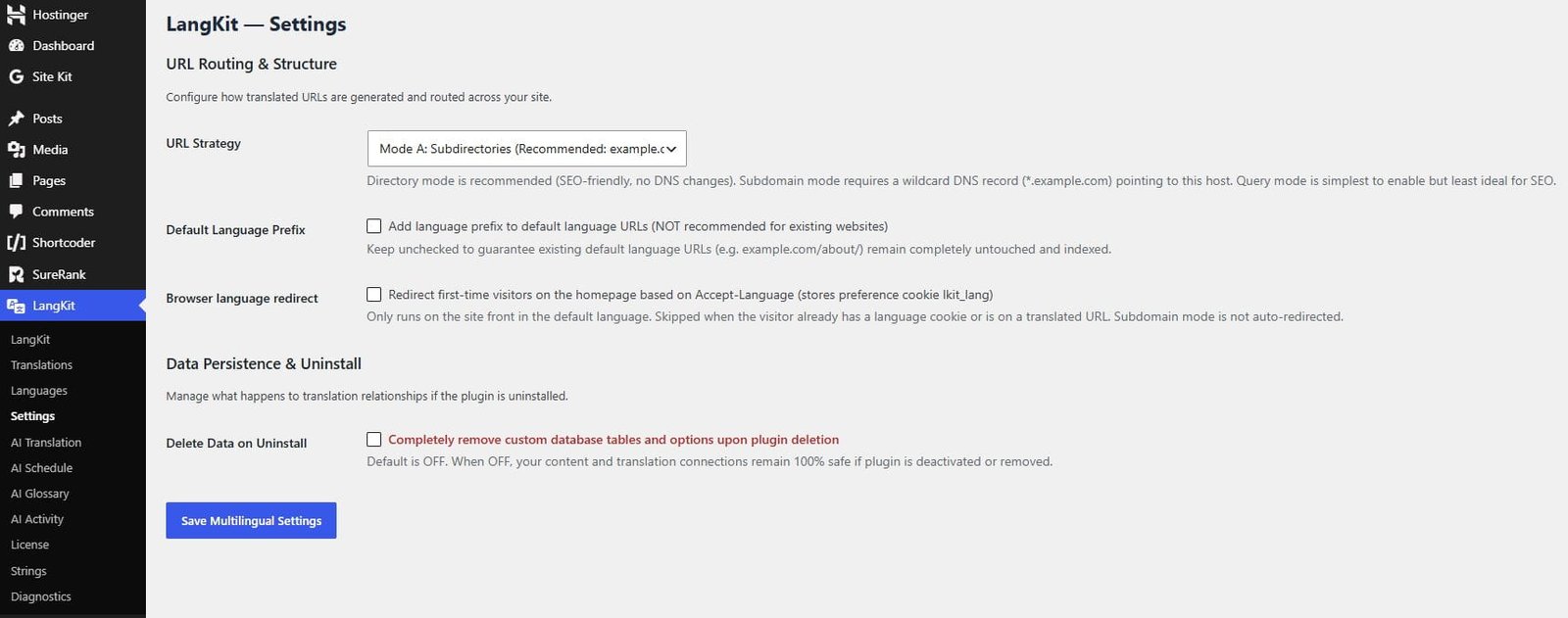
Flexible URL modes & settings
Choose directory, query, or subdomain structures. Fine-tune switcher behavior, SEO options, and integration preferences without touching code.
- Directory / query / subdomain modes
- Prefix-free default language option
- Switcher display controls
- SEO and compatibility toggles
Translate faster without losing control
Markalingo Pro adds an optional AI layer on top of the core multilingual engine. Use any OpenAI-compatible provider — cloud or local — with a background queue, glossary, and review workflow.
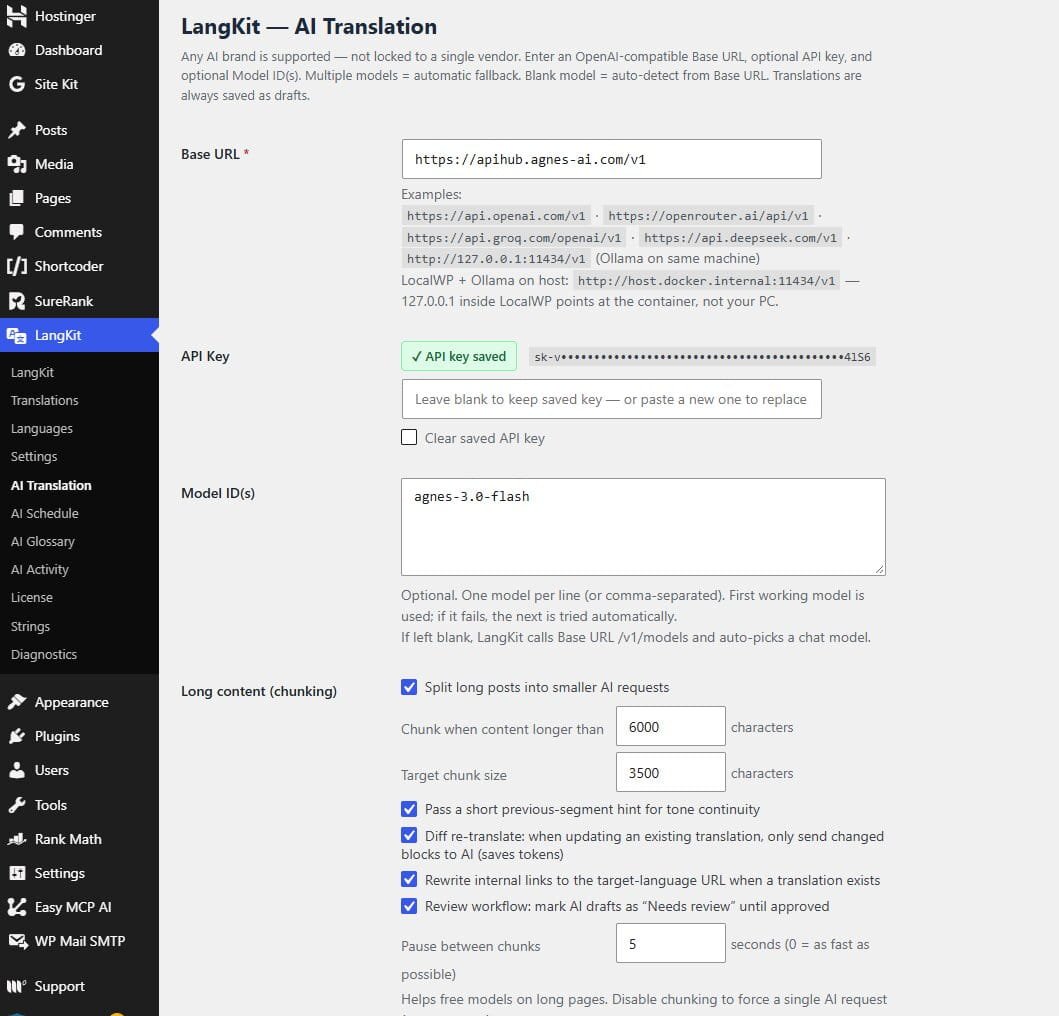
Universal AI provider
Connect any OpenAI-compatible Base URL. Works with major cloud APIs and local inference endpoints.
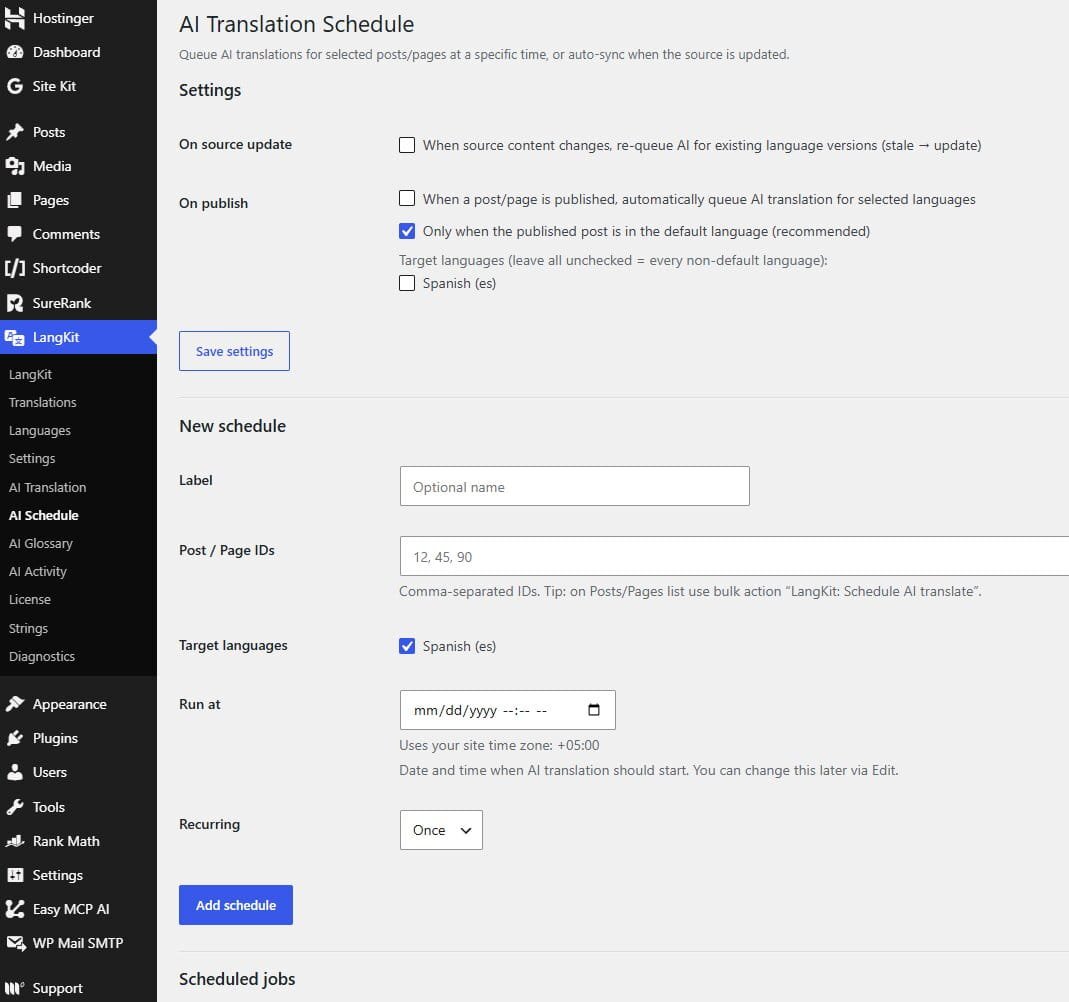
Background queue & scheduling
Chunk long content, schedule recurring jobs, auto-queue on publish, and keep the admin responsive.
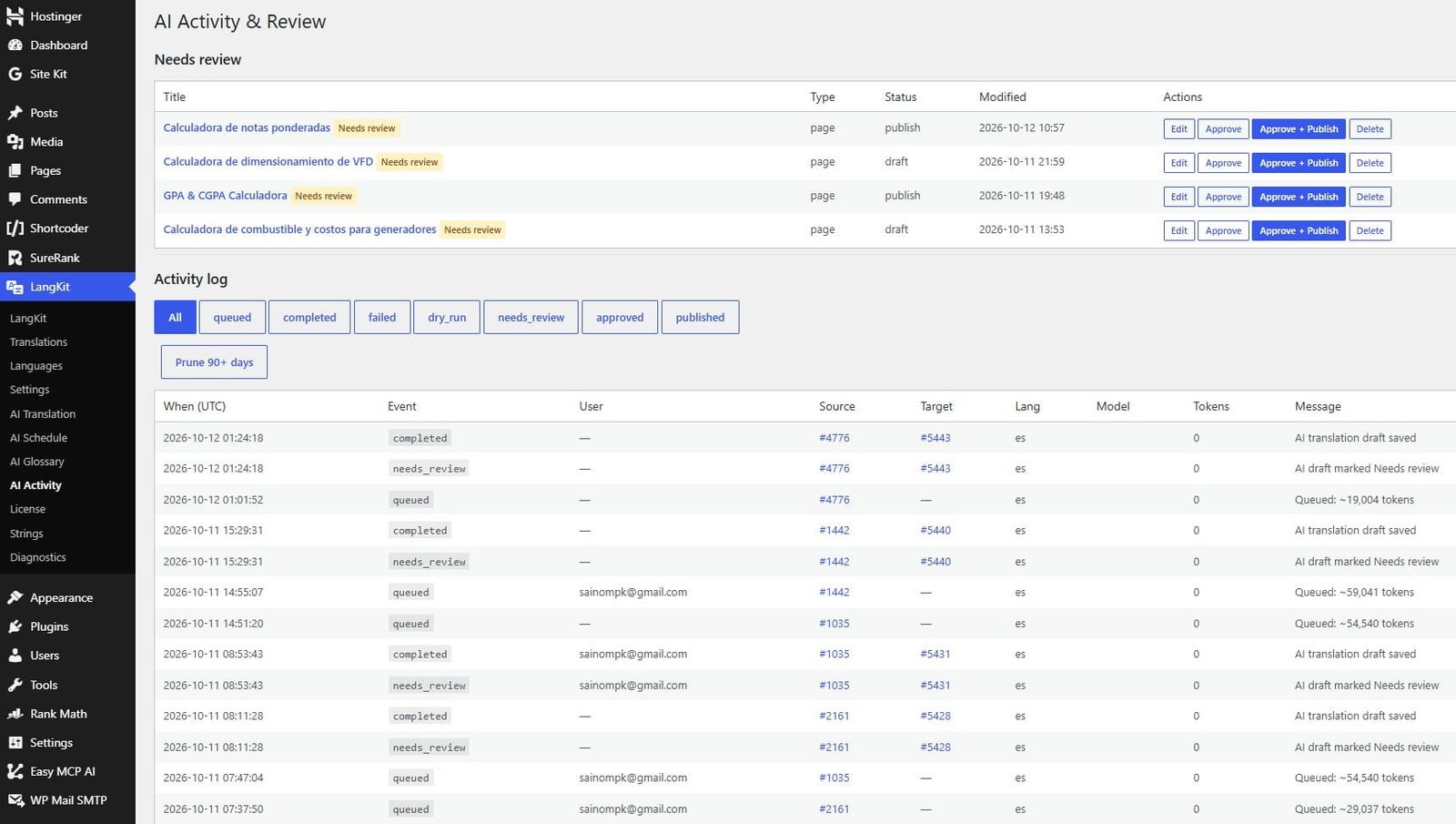
Activity log & budgets
Track users, models, tokens, and events. Set monthly token budgets and cost estimates before you scale.
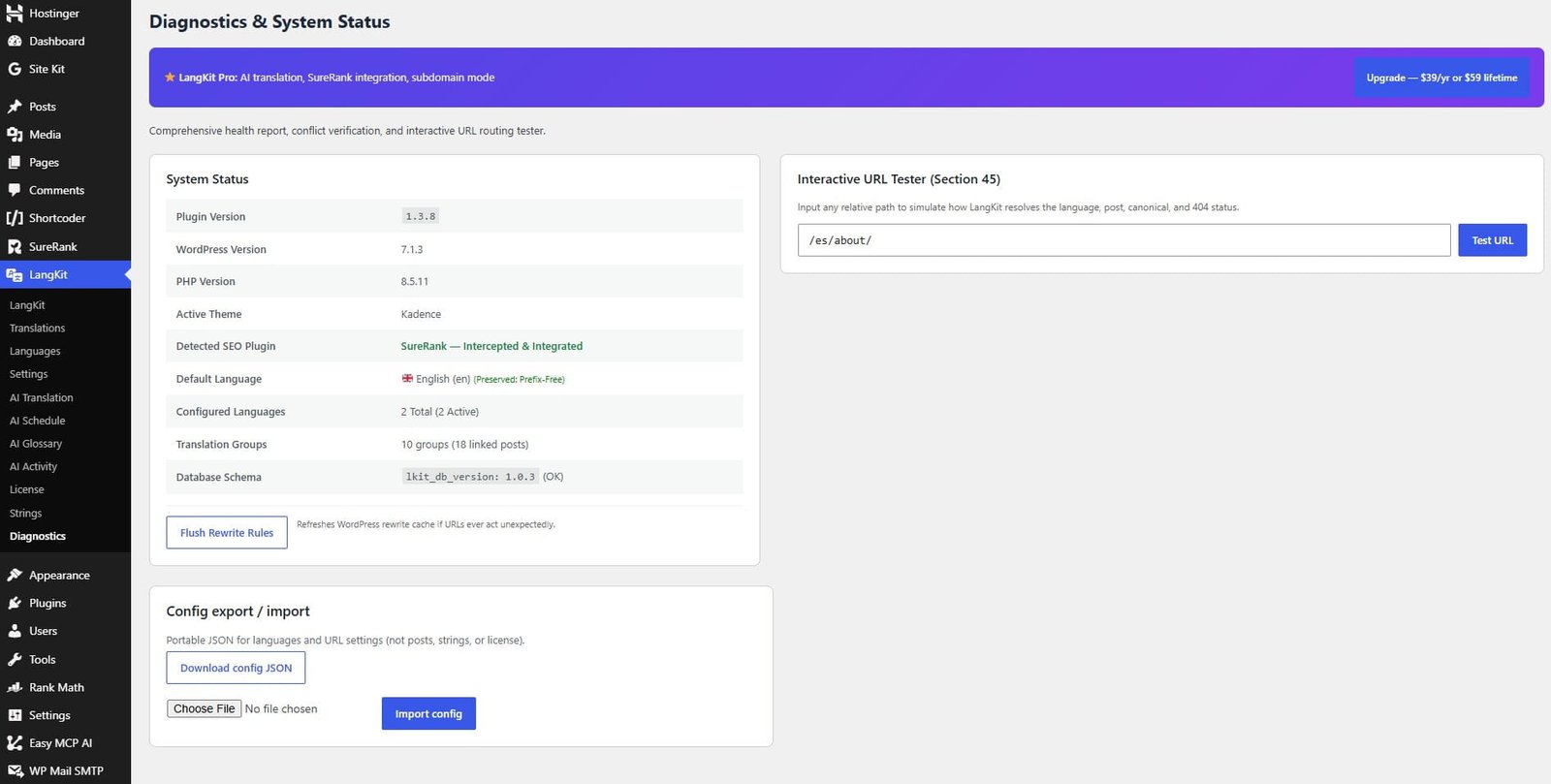
Stale detection & recovery
Stale badges, diff re-translate, dry-run previews, lock recovery, and internal link rewriting to target URLs.
From install to multilingual in three steps
No complex migration required. Activate, configure languages, and start linking or translating content.
Install & activate
Upload the Markalingo-pro folder, activate the plugin, and you are ready. Requires WordPress 6.0+ and PHP 8.0+.
Configure languages
Open Multilingual → Languages. Set your default language, add target locales, flags, and URL prefixes.
Link or AI-translate
Link existing posts into translation groups, or use the Pro AI queue to generate and review translations at scale.
What you get with Markalingo Pro
| Capability | Core | Pro |
|---|---|---|
| Unlimited languages & URL modes | Yes | Yes |
| Hreflang + self-referencing canonicals | Yes | Yes |
| Translation groups & matrix | Yes | Yes |
| AI translation queue & chunking | — | Yes |
| Glossary, schedule, activity log | — | Yes |
| Stale detection & review workflow | — | Yes |
| Token budgets & per-language models | — | Yes |
Simple plans for every stage
Start free with the full multilingual core. Upgrade to Pro when you need AI-assisted localization at scale.
Free
Core multilingual engine — no account required
- Unlimited languages
- URL preservation & native rewrites
- Hreflang + self-referencing canonicals
- Translation matrix & groups
- Directory / query / subdomain modes
- Language switcher (zero frontend JS)
Pro Single
1 site · billed monthly · includes all Free features
1 site · best value · all Free features
1 site · one-time payment · lifetime updates
- 1 site license
- Everything in Free
- AI translation queue & chunking
- Schedule, auto-queue on publish
- Glossary & preferred terms
- Stale detection & review workflow
- Activity log, budgets & coverage dashboard
- Diff re-translate & internal link rewriter
Pro Agencies
Agency license · billed monthly
Agency license · best value for client work
Agency license · one-time payment · lifetime updates
- Multi-site agency license
- Everything in Pro Single
- AI translation queue & chunking
- Schedule, auto-queue on publish
- Glossary & preferred terms
- Stale detection & review workflow
- Activity log, budgets & coverage dashboard
- Diff re-translate & internal link rewriter
Prices in USD. Need a custom license or have a question? Contact MarkaCode
By purchasing, you agree to our Terms & Conditions (includes our 7-day money-back guarantee).
Questions teams usually ask
Will Markalingo change my existing default-language URLs?
No. One of Markalingo’s core design goals is existing URL preservation. Your default language can remain prefix-free so URLs like /about/ stay exactly as they are.
Does it work with my theme and page builder?
Markalingo focuses on routing, language metadata, and SEO tags rather than replacing your theme. It integrates through native WordPress APIs. Complex page-builder layouts are handled at the post content level; test critical templates after activation.
What AI providers can I use?
Any OpenAI-compatible API endpoint. You can point Markalingo Pro at major cloud providers or a local inference server by configuring the Base URL and API key in the Pro settings.
Is there frontend JavaScript that can hurt Core Web Vitals?
The core language switcher and routing path are designed with zero frontend JS overhead so you do not pay a performance tax simply for being multilingual.
Can I migrate from another multilingual plugin?
Markalingo includes migration tooling aimed at common structures (including Polylang/WPML-style relationships). Always take a full backup and run a staging test before production cutover.
What are the technical requirements?
WordPress 6.0 or higher, PHP 8.0 or higher, and a standard MySQL/MariaDB database. No external SaaS account is required for the core multilingual engine.
Ship multilingual sites the professional way
Preserve URLs, protect SEO, and scale translation with a clean admin experience — without bolting on a heavy third-party stack.